
Download Badoo Lite – dating app, chat, meet people, free dating, find friends, online dating, social app
Overview
Badoo Lite is a desktop application designed to facilitate personal connections through digital interaction. Built for users seeking to expand their social circles, the software enables communication with individuals across the globe. It serves as a platform for both casual conversations and meaningful relationships, offering a space where users can explore new friendships and romantic interests. The application is positioned as a free alternative to traditional dating services, removing financial barriers to entry.
Target users include individuals looking to meet new people in their local area or internationally, whether for friendship, companionship, or romantic engagement. The software is intended for use on personal computers, providing an alternative to mobile-based interaction. While the developer, Badoo, is known for its mobile dating platform, specific details about the desktop version’s development background were not provided.
Real-world usage scenarios include browsing profiles, initiating conversations, and maintaining connections through messaging. Users can explore potential matches without requiring registration, allowing for anonymous exploration. The software supports a range of social interactions, from light-hearted chats to deeper discussions, making it suitable for both casual users and those actively seeking relationships.
Key Features & Capabilities
- Global Connection Network: Access to a worldwide user base enables interaction with people from diverse cultural and geographic backgrounds.
- Profile Browsing: Users can view profiles and explore potential matches without the need for registration, supporting initial discovery.
- Real-Time Messaging: Built-in chat functionality allows instant communication with other users, facilitating direct interaction.
- Interest-Based Matching: The platform helps users identify others with similar hobbies, values, or lifestyle preferences.
- Friend Request System: Users can send and receive friend requests to build and maintain social connections.
- Community Engagement: Features such as asking questions and receiving advice support ongoing social interaction beyond initial contact.
These features are designed to enhance user engagement by simplifying the process of finding and connecting with others. Profile browsing without registration allows users to assess compatibility before committing to an account. The chat system enables immediate interaction, reducing friction in the communication process. The friend request mechanism supports the development of long-term connections, while the ability to ask and answer questions fosters community building.
User Interface, Workflow & Performance
The user interface of Badoo Lite is structured to prioritize accessibility and ease of navigation. Key functions such as profile browsing, messaging, and friend management are likely organized through a clean, intuitive layout. The workflow is designed to guide users through the process of discovery, interaction, and connection with minimal friction.
Navigation appears to be centered around profile cards, chat windows, and a central dashboard that aggregates user activity. The application likely supports drag-and-drop actions or simple click-based interactions to streamline user input. While specific performance metrics were not provided, the software is expected to maintain stable operation during typical usage, such as browsing profiles and sending messages.
Resource usage details were not specified by the developer. General behavior suggests the application operates efficiently within standard desktop environments. Stability is presumed to be adequate for continuous use, though exact behavior under prolonged sessions remains unverified. The application does not appear to impose significant CPU or RAM demands based on its size and intended function.
Compatibility & System Requirements
Badoo Lite is available for Windows operating systems, with the current version being 1.0.0. The application requires 200MB of disk space for installation, indicating a lightweight footprint. This makes it suitable for systems with moderate storage capacity.
Exact system requirements were not listed. Compatibility information is limited to the operating system, suggesting that the software may function on a broad range of Windows versions, including recent releases. However, specific hardware specifications such as processor type, RAM, or graphics requirements were not disclosed.
Users are advised to ensure their system meets general desktop software standards. The developer did not provide additional system requirements, so compatibility with older or less powerful machines cannot be confirmed.
Pros and Cons
Pros
- Free to download and use, removing financial barriers to access.
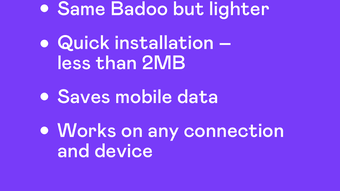
- Lightweight installation size of 200MB, suitable for systems with limited storage.
- Supports anonymous browsing of profiles without registration.
- Offers real-time chat functionality for immediate interaction.
- Designed for global connectivity, enabling users to meet people worldwide.
Cons
- Exact system requirements were not specified, limiting user preparedness.
- Performance details, including CPU and RAM usage, were not provided.
- Compatibility with older Windows versions is unconfirmed.
- Limited information about privacy and data handling practices.
- Desktop version may lack advanced features available in the mobile app.
FAQ Section
Is Badoo Lite compatible with all Windows versions?
Compatibility information is limited to Windows as the supported operating system. Specific version compatibility was not provided by the developer.
Is Badoo Lite safe to download and use?
The software is distributed as a free desktop application. While no security risks were reported, users should ensure they download from official sources to maintain safety.
Does Badoo Lite require a paid subscription?
No, the software is available at no cost. There are no reported subscription fees for basic functionality.
Can I use Badoo Lite offline?
The application requires an internet connection to access profiles, send messages, and maintain connections. Offline usage is not supported.
How often is Badoo Lite updated?
Updates are managed by the developer, but the frequency of releases was not specified. Users are encouraged to check for updates regularly.
Final Thoughts + CTA
Badoo Lite presents a streamlined option for individuals seeking to connect with others through a desktop interface. Its lightweight design and free access make it accessible to a wide audience. While detailed technical and performance data are limited, the core functionality aligns with the expectations of a modern social app. The ability to browse profiles without registration and engage in real-time chat enhances user flexibility.
Those who value global connectivity and prefer desktop-based interaction will find this tool useful. While it may not offer the full suite of features found in mobile counterparts, it serves as a viable alternative for users who prefer a PC environment. The lack of detailed system requirements and performance metrics remains a consideration for cautious users.
Download Badoo Lite now and start your journey to meet new people.





.png)

